Home/Blog/ Click vs Digital Torque Wrench: A Buyer’s Comparison

Click vs Digital Torque Wrench: A Buyer’s Comparison

Get OEM Tool Catalog + Quote Back to Tool Sourcing Blog
Unbranded click and digital torque wrenches separated on a factory inspection bench
This KOLARWIN Tools article is written for overseas distributors, wholesalers, importers and private label tool brands sourcing mechanic tools, automotive repair tools, socket tools, hand tools and OEM tool sets from China. Use this guide to compare product options, check supplier quality points and move from reading to a faster B2B inquiry.

Need OEM supplier support for this product type?

Contact KOLARWIN Tools for OEM mechanic tools, private label packaging, wholesale quotation and product range support. This gives overseas buyers a clear path from article reading to supplier discussion.

A click wrench can deliver controlled tightening without a battery. A digital wrench can add a display, alerts, angle functions, or stored results, but only when its model includes those features and the operator follows its instructions. For distributors, the right comparison starts with work evidence: required torque range, operator skill, calibration plan, environment, service route, and whether a record of each tightening event has value.

Click vs digital torque wrench selection has no universal winner. A calibrated click tool may suit repeat service work with simple sign-off. A calibrated digital model may suit a process that needs visible alerts or electronic records. Buyers should compare one defined model against another and approve samples through measurement, handling, battery, and service checks.

1. What is the difference between click and digital torque wrenches?

The main difference is feedback method: a click wrench signals a preset threshold through a mechanical release, while a digital wrench senses torque electronically and presents readings or alerts according to its model.
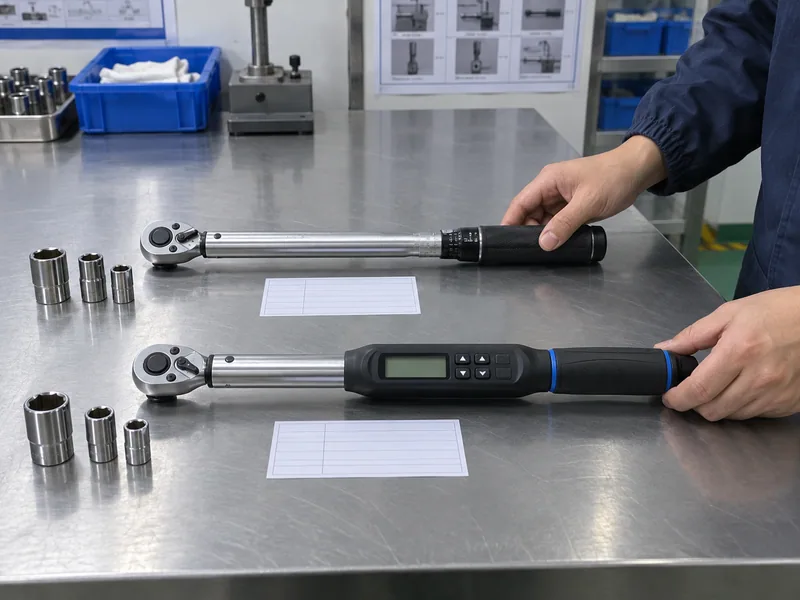
Unbranded click and digital torque wrenches separated on a factory inspection bench
AI-generated concept illustration; not an actual factory or test record.

Which operating details change the buying decision?

Click tools normally use a scale and lock on a handle. Digital tools may show a target, live reading, peak value, angle, light, sound, or vibration. A digital screen alone does not prove better accuracy.

Specify what an operator must see, hear, feel, or document.

  • Required torque range and unit system
  • Fastener access and working direction
  • Operator training and shift turnover
  • Calibration and repair route
  • Need for electronic results, if any

Use torque wrench guidance for professional buyers to frame a broader range review. Action: compare two actual model datasheets, not “analog” and “digital” as abstract categories.

What belongs in an initial comparison matrix?

Decision field Click wrench Digital wrench Buyer evidence
Signal Mechanical release and audible/tactile cue Display and model-specific alert Operator trial
Power No battery for the mechanism Battery or rechargeable system may be required Runtime and spare plan
Record Manual sign-off Logging only if model supports it Export or paper workflow
Setup Scale and lock procedure Buttons, menu, target, or preset procedure Training sheet
Service Mechanical inspection and calibration Sensor, electronics, battery, and calibration support Service quotation

2. How does a click torque wrench signal the target?

A click wrench signals a target when its internal mechanism releases slightly at a set load, producing a tactile and often audible cue. The operator must stop applying force after that signal.
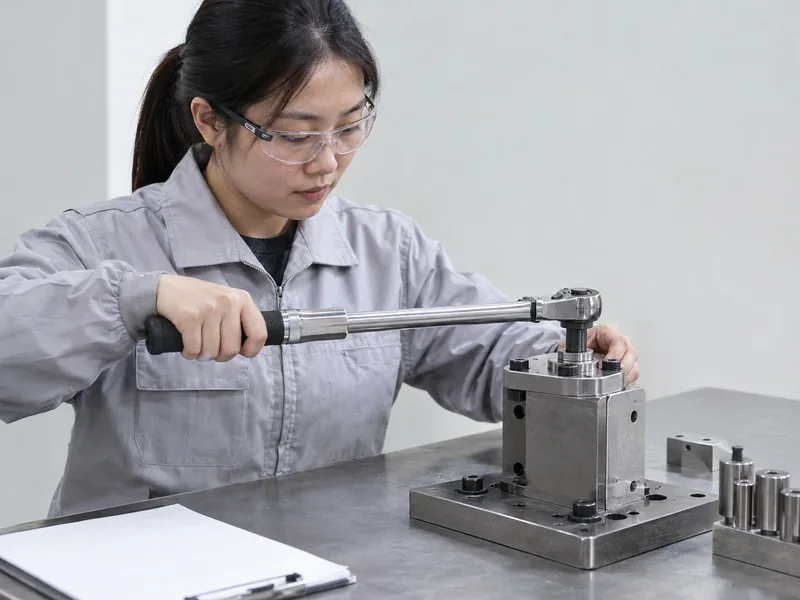
Chinese technician testing a click torque wrench release on a controlled fixture
AI-generated concept illustration; not an actual factory or test record.

Why do operators choose click tools?

Click tools are familiar, quick to hand over, and independent of battery status. They suit many maintenance and assembly tasks where a supervisor can control settings and record completion separately.

Set, lock, seat, pull smoothly, then stop at the signal.

  • Read the scale at eye level during setup.
  • Lock the adjustment if the model provides a lock.
  • Keep the drive square fully engaged.
  • Stop after the release; do not add a second pull.

For adjacent hand-tool range planning, review KOLARWIN hand tools. Action: test scale readability and signal recognition with the least experienced intended operator.

Which click-tool risks need control?

Risk Likely cause Control
Wrong setting Scale misread or lock left loose Setup check and witness mark policy
Over-tightening Operator continues after click Training and observation
Drift Wear, storage, overload, or missed calibration Periodic verification
Poor engagement Wrong socket or access angle Correct accessory and fixture
Slow handover Setting changes between users Reset and sign-off procedure

3. What can a digital torque wrench add?

A digital wrench can add a visible reading and model-specific alerts such as light, sound, or vibration. Some models also support angle measurement, presets, memory, communication, or downloadable results; buyers must verify each feature in its manual.
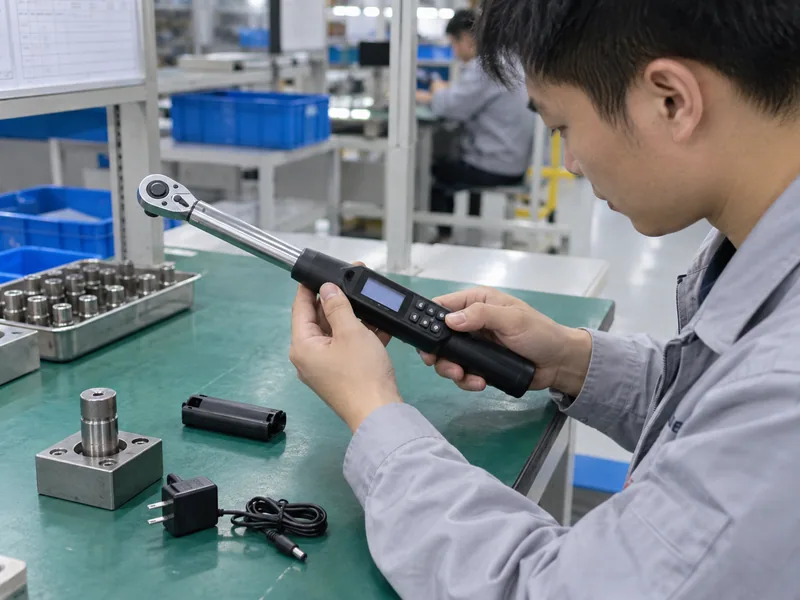
Technician checking a digital torque wrench display and alert controls in a factory
AI-generated concept illustration; not an actual factory or test record.

Which electronic features are worth specifying?

An alert can help in a noisy or visually constrained station, while a display can make unit conversion and target setting easier. Presets may reduce repeated entry, but menus can also increase training needs. Data functions have value only when a customer has a defined record workflow.

Every selected function should solve a documented operator or quality problem.

  • Target and tolerance entry
  • Unit selection and lockout
  • Peak, track, or click-peak mode
  • Angle mode, only when supported and required
  • Memory, export, or wireless communication, only when supported

Compare the broader torque wrench sourcing guide before adding electronics to a general hand-tool program. Action: demand a live demonstration of each claimed alert and record function.

How should features appear in product data?

Feature Specify as Do not assume
Alert Light, sound, vibration, or combination Every digital model has all three
Angle Range, direction, and operating mode Torque-only models measure angle
Memory Capacity and result fields A display stores results automatically
Export Port, file type, app, or software A USB port means data logging
Presets Count, lock behavior, and access Presets prevent every setup error

Action: keep unsupported features out of packaging and sales copy.

4. Which wrench is more accurate?

Neither format is automatically more accurate; accuracy depends on a specific model, range, direction, condition, calibration method, and operator procedure. A digital display can make readings easier to interpret, while a click mechanism can perform well when maintained and used correctly.
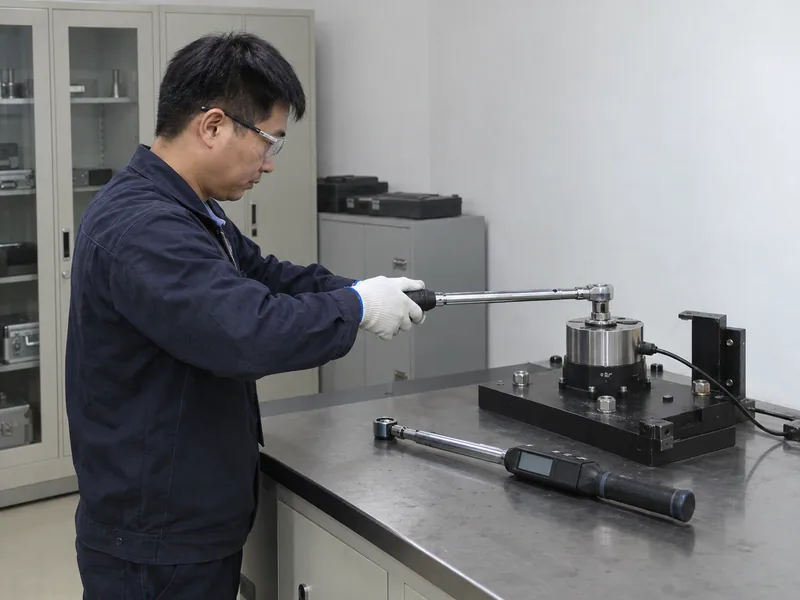
Click and digital torque wrench samples checked against a calibrated reference system
AI-generated concept illustration; not an actual factory or test record.

What does a calibration certificate prove?

A certificate identifies a tested tool, test points, direction, equipment, and stated tolerance or standard. It does not make every future use accurate, and it does not replace a customer’s verification plan. A supplier should identify whether a document reports conformance, calibration, or an internal inspection result.

Match its model, serial number, range, direction, and date with the product being bought.

  • Confirm the stated standard or method.
  • Check clockwise and counterclockwise coverage where needed.
  • Review test points against the intended working range.
  • Record the next verification or calibration trigger.

Use the professional torque-wrench guide to review range, calibration and unit fields together. Keep torque units such as N·m, lbf·ft and lbf·in distinct. Action: reject “high precision” wording without model-specific evidence.

What accuracy fields belong in a comparison?

Field Why it matters Required evidence
Stated tolerance Defines a model claim Manufacturer datasheet
Working range Shows where the claim applies Range and test points
Direction Separates clockwise from reverse use Certificate or manual
Resolution Describes display or scale increments Product specification
Verification method Shows how performance is checked Calibration procedure

Action: compare like-for-like ranges and directions before selecting a format.

5. How do calibration and service differ?

Both tool types need a controlled service plan. Click tools require mechanical inspection and calibration; digital tools add sensors, electronics, firmware or software dependencies, and battery checks.
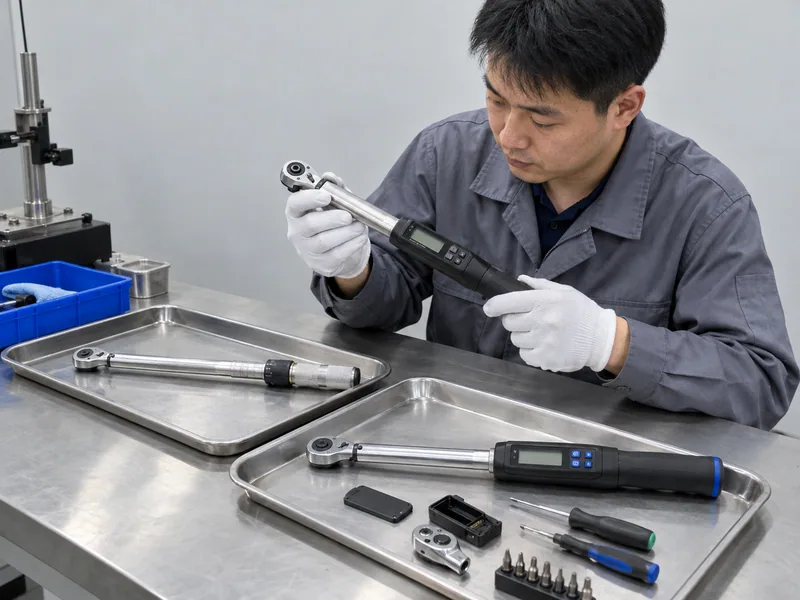
Chinese service technician inspecting mechanical and electronic torque wrench components
AI-generated concept illustration; not an actual factory or test record.

What should a maintenance program cover?

Start with customer instructions and the selected model’s manual. Define verification after overload, impact, repair, or abnormal readings. Storage position, temperature, contamination, and repeated use can affect service intervals.

Name who checks, adjusts, documents, and returns each tool.

  • Asset ID and serial-number capture
  • Incoming and outgoing inspection
  • Calibration or verification interval
  • Repair parts and battery availability
  • Quarantine process for failed tools

Use mechanics tool set planning to separate torque-tool service from ordinary kit replenishment. Action: ask suppliers for a sample service record and escalation path.

Which service items differ by format?

Service item Click tool Digital tool Buyer question
Scale Clean, readable, and aligned Display and controls readable Can operators read it in use?
Mechanism Release, spring, head, and lock Sensor, head, and mechanism Which parts are replaceable?
Power Not required for mechanism Battery, charger, contacts, or cells What happens during low power?
Software Usually none Firmware or app may exist Is support documented?
Records Manual certificate or log Electronic or manual record Who owns the record?

Action: include service status in total-cost comparisons.

6. How do batteries and work environments affect selection?

Batteries affect digital-tool readiness, storage, transport, and service. Click tools avoid battery dependence, while digital tools may need spare cells or charging access even when torque accuracy remains within specification.
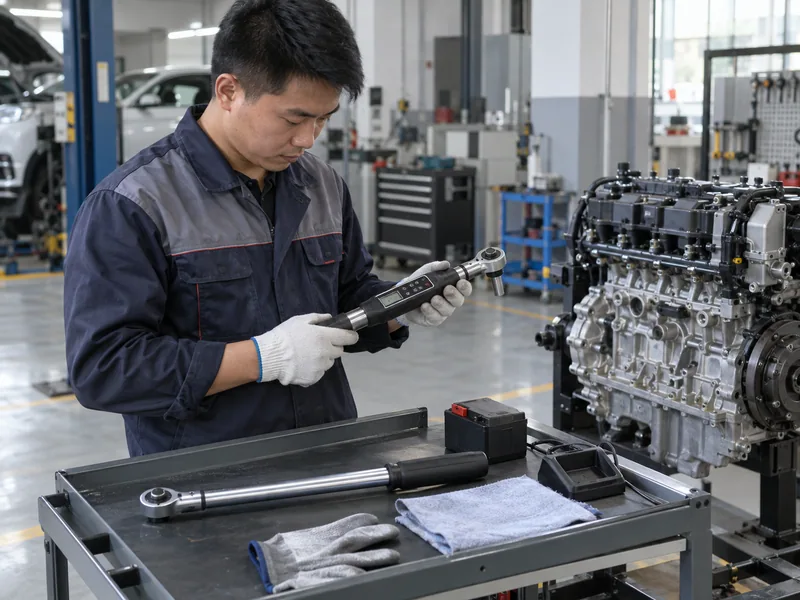
Click and digital torque wrenches trialed in a realistic automotive service environment
AI-generated concept illustration; not an actual factory or test record.

Which environmental checks belong in a sample trial?

Test display visibility, button operation, grip, storage case, and battery replacement using the intended gloves and lighting. Check temperature, oil, dust, moisture, impact exposure, and cleaning limits against the model manual.

A feature that works on a clean desk may fail during shift change or field service.

  • Start-of-shift power check for digital models
  • Spare battery or charging location
  • Low-power behavior and saved-setting behavior
  • Display readability at the real working angle
  • Storage and transport protection

For a wider automotive repair tool assortment, assign digital tools to tasks that can support their operating and charging requirements. Action: run a full-shift trial before adopting a battery-dependent SKU.

What should the environment scorecard show?

Condition Click concern Digital concern Trial evidence
Low light Scale visibility Screen visibility and alert Operator observation
Noise Audible click may be missed Sound alert may be missed Tactile or visual backup
Dust or oil Mechanism contamination Buttons, seals, and display Cleaning and inspection
Cold or heat Material and storage limits Battery and display response Manual limits and trial
Field transport Drop or overload damage Battery, screen, and electronics Case and handling check

Action: record environmental limits in the product brief.

7. When does data logging justify a digital model?

Data logging justifies a digital model when a customer has a defined need to connect torque results with an asset, operator, work order, or audit record. A digital wrench without memory or communication does not create traceability by itself.
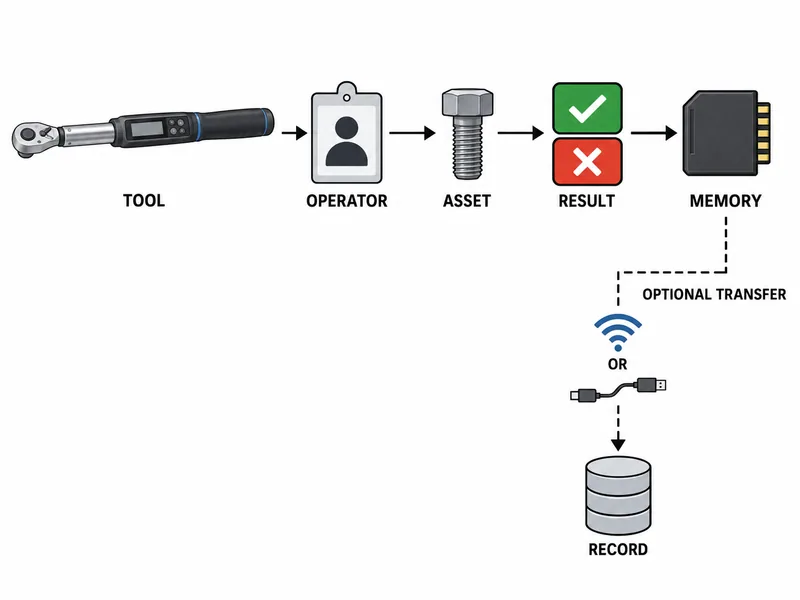
Unlabeled technical workflow diagram from torque result capture to stored quality record
AI-generated technical illustration; schematic, not a dimensional drawing.

How should buyers define a record workflow?

Specify what gets recorded, how an operator identifies a fastener or assembly, where data is stored, and who reviews exceptions. Decide whether manual transcription is acceptable before paying for connectivity.

If nobody reviews or retains a result, electronic storage may add cost without control.

  • Result fields and timestamp behavior
  • Tool or operator identification
  • Pass/fail or tolerance status
  • Export method and file ownership
  • Data retention and privacy expectations

Use complete mechanic tool sourcing guidance when placing digital tools inside a wider service program. Action: request an anonymized sample export or screen demonstration before claiming traceability.

Which record features should appear in an RFQ?

Record feature RFQ question Evidence
Storage How many results and fields? Manual or demo
Transfer Cable, app, wireless, or manual? Working demonstration
Identity Tool, user, job, or asset ID? Data sample
Exceptions How are failures marked? Screen or export sample
Retention Who stores and retrieves records? Customer workflow

8. How should distributors inspect click and digital samples?

Sample inspection should combine dimensional checks, torque testing, operator handling, calibration evidence, service review, and packaging review. Digital samples also need battery, display, control, and data-function checks.
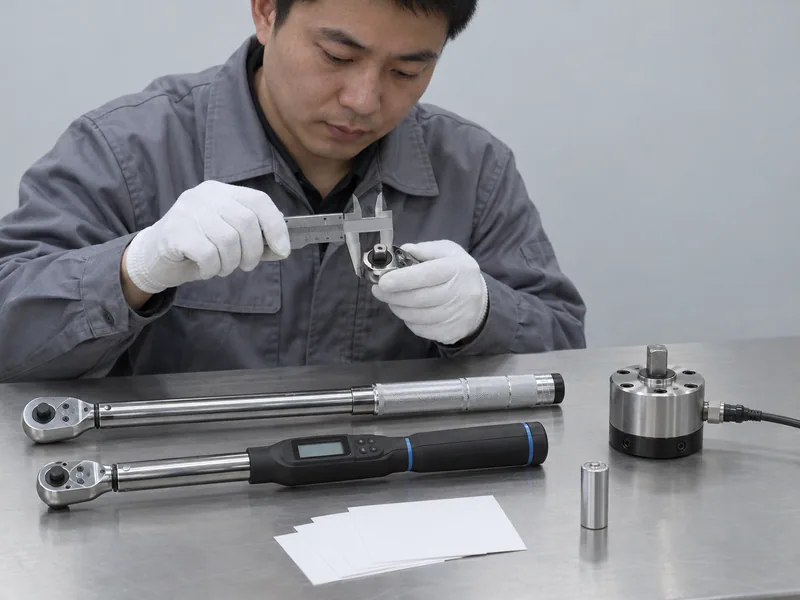
Chinese QC technician checking torque wrench samples, battery, display, and calibration documents
AI-generated concept illustration; not an actual factory or test record.

What should a sample approval test include?

Use a calibrated reference system suited to the tool range and direction. Test several points across the intended range, then repeat after normal handling. Do not turn one pass into a blanket accuracy claim for every size or mode.

Capture what passed, under which setup, and which claims remain unapproved.

  • Model, serial number, and revision
  • Stated range, direction, and units
  • Certificate and test setup
  • Operator usability and signal response
  • Battery, alert, memory, or export checks where present

Action: quarantine samples with missing identity or incomplete evidence.

What should the inspection table contain?

Check Click sample Digital sample Acceptance record
Setting Scale and lock Menu, buttons, target Setup photo or sheet
Signal Release and cue Display and alerts Operator sign-off
Measurement Reference-system result Reference-system result Test record
Handling Grip, head, socket Grip, head, screen Trial notes
Support Parts and certificate Parts, battery, software Supplier response

Action: approve only the exact model and configuration tested.

9. What should a click or digital torque wrench RFQ specify?

An RFQ should specify the work, model class, torque range, drive, direction, units, calibration evidence, service route, packaging, and any digital functions. “Accurate digital torque wrench” leaves too many assumptions.
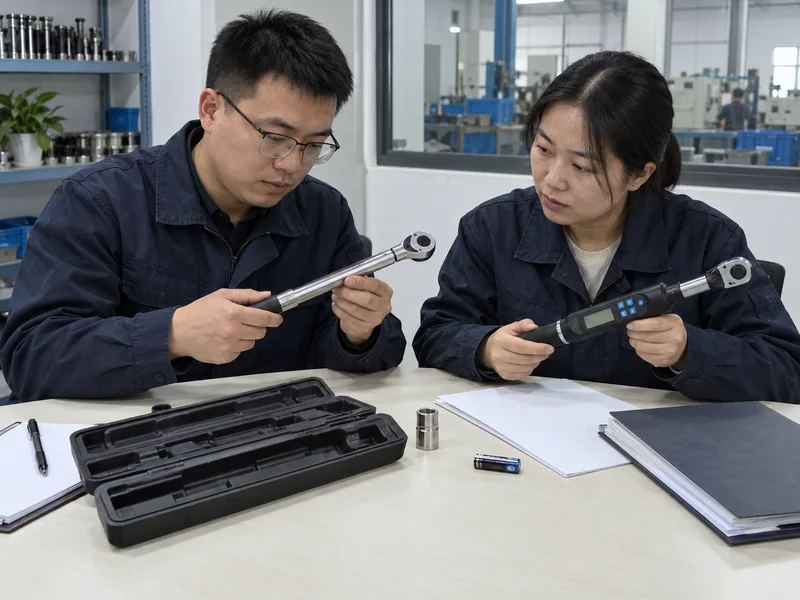
Chinese B2B buyers reviewing click and digital torque wrench RFQ samples
AI-generated concept illustration; not an actual factory or test record.

Which technical fields prevent quotation drift?

Include nominal range, tolerance claim, working direction, drive size, head type, scale or display, alerts, angle function, memory, communication, battery, case, accessories, and documentation. Separate required fields from optional upgrades.

Suppliers can quote the same tool definition and disclose deviations early.

  • State test points and reference method.
  • Request sample approval before bulk production.
  • Identify certificate type and serial-number policy.
  • Define spare parts and service response documents.
  • Prohibit unsupported accuracy, logging, or factory claims.

Review socket tool options when specifying the drive ecosystem around a torque wrench. Action: issue one controlled RFQ revision to every shortlisted supplier.

What belongs in a commercial comparison?

RFQ block Required detail Supplier response
Tool Click or digital model class Datasheet and sample
Measurement Range, units, direction, tolerance Certificate or method
Electronics Alerts, angle, memory, transfer Model-specific proof
Service Calibration, repair, batteries Route and terms
Delivery Case, accessories, markings, documents Quotation assumptions

Action: reject a quote that silently changes the tested configuration.

10. Which torque wrench should a B2B buyer source?

Source a click wrench for a controlled routine where mechanical feedback, simple training, and low battery dependence fit the work. Source a digital wrench when visible alerts, angle functions, or electronic records solve a defined process need and the buyer accepts battery and service obligations.
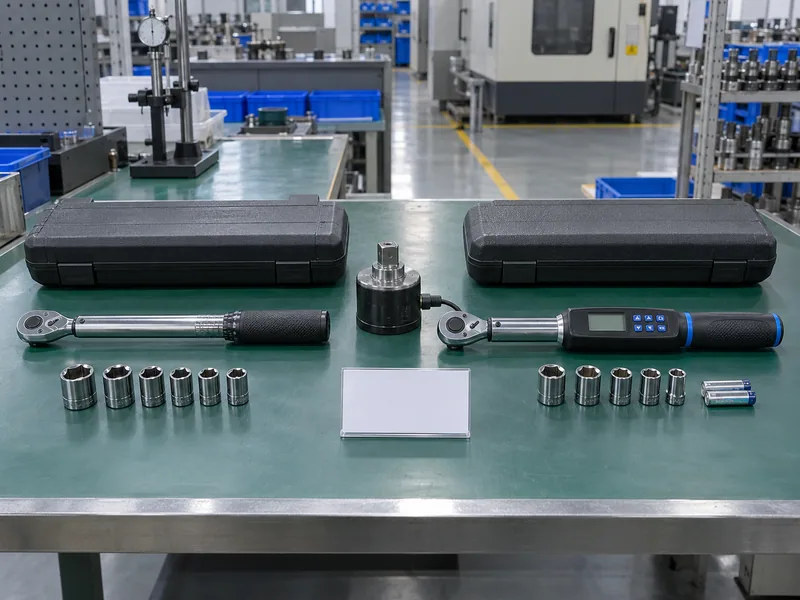
Click and digital torque wrench samples arranged with a blank buyer approval card
AI-generated concept illustration; not an actual factory or test record.

What is the final selection gate?

Use this gate before listing a tool or placing a purchase order:

  • Match the exact working range, direction, and drive.
  • Confirm model-specific calibration evidence.
  • Test operator signal, access, and handling.
  • Verify battery, service, and replacement support for digital models.
  • Approve data functions only after a real workflow demonstration.

Buy the format that matches a documented task and a supportable quality system.

KOLARWIN can review a comparison brief, sample matrix, and RFQ through contact with KOLARWIN Tools. Buyers can review the wider tool range before selecting a supplier. The goal is a tool specification that operators can use and procurement teams can defend.

Can a click torque wrench be as accurate as a digital wrench?

Yes, a calibrated click model can meet its stated tolerance when used within its range and procedure. Compare model evidence rather than assuming format alone determines accuracy.

Do digital torque wrenches always record tightening data?

No. Memory, export, and communication depend on model design. Request a working demonstration before making a traceability claim.

What happens if a digital torque wrench battery dies?

The tool may stop displaying or alerting, depending on design. Define a spare-battery or charging plan and a fallback tool before approving field use.

Which tool suits a rough maintenance environment?

A click tool may simplify power and electronics concerns, but durability still depends on its construction, care, and service plan. Test either format in the real environment.

Should an RFQ require a calibration certificate?

Require model-specific calibration or conformance evidence when customer quality rules call for it. State range, direction, test points, serial identity, and certificate type in the RFQ.

Looking for a reliable mechanic tools manufacturer in China?

If you are sourcing hand tools, socket tools, automotive repair tools, mechanic tool sets or OEM private label tools, contact KOLARWIN Tools for factory-direct quotation, customization support and product consultation.
A click wrench can deliver controlled tightening without a battery. A digital wrench can add a display, alerts, angle functions, or stored results, but only when its model includes those features and the operator follows its instructions. For distributors, the right comparison starts with work evidence: required torque range, operator skill, calibration plan, environment, service route, and whether a record of each tightening event has value.

Click vs digital torque wrench selection has no universal winner. A calibrated click tool may suit repeat service work with simple sign-off. A calibrated digital model may suit a process that needs visible alerts or electronic records. Buyers should compare one defined model against another and approve samples through measurement, handling, battery, and service checks.

1. What is the difference between click and digital torque wrenches?

The main difference is feedback method: a click wrench signals a preset threshold through a mechanical release, while a digital wrench senses torque electronically and presents readings or alerts according to its model.

Unbranded click and digital torque wrenches separated on a factory inspection bench
AI-generated concept illustration; not an actual factory or test record.

Which operating details change the buying decision?

Click tools normally use a scale and lock on a handle. Digital tools may show a target, live reading, peak value, angle, light, sound, or vibration. A digital screen alone does not prove better accuracy.

Specify what an operator must see, hear, feel, or document.

Use torque wrench guidance for professional buyers to frame a broader range review. Action: compare two actual model datasheets, not “analog” and “digital” as abstract categories.

What belongs in an initial comparison matrix?

Decision field Click wrench Digital wrench Buyer evidence
Signal Mechanical release and audible/tactile cue Display and model-specific alert Operator trial
Power No battery for the mechanism Battery or rechargeable system may be required Runtime and spare plan
Record Manual sign-off Logging only if model supports it Export or paper workflow
Setup Scale and lock procedure Buttons, menu, target, or preset procedure Training sheet
Service Mechanical inspection and calibration Sensor, electronics, battery, and calibration support Service quotation

2. How does a click torque wrench signal the target?

A click wrench signals a target when its internal mechanism releases slightly at a set load, producing a tactile and often audible cue. The operator must stop applying force after that signal.

Chinese technician testing a click torque wrench release on a controlled fixture
AI-generated concept illustration; not an actual factory or test record.

Why do operators choose click tools?

Click tools are familiar, quick to hand over, and independent of battery status. They suit many maintenance and assembly tasks where a supervisor can control settings and record completion separately.

Set, lock, seat, pull smoothly, then stop at the signal.

For adjacent hand-tool range planning, review KOLARWIN hand tools. Action: test scale readability and signal recognition with the least experienced intended operator.

Which click-tool risks need control?

Risk Likely cause Control
Wrong setting Scale misread or lock left loose Setup check and witness mark policy
Over-tightening Operator continues after click Training and observation
Drift Wear, storage, overload, or missed calibration Periodic verification
Poor engagement Wrong socket or access angle Correct accessory and fixture
Slow handover Setting changes between users Reset and sign-off procedure

3. What can a digital torque wrench add?

A digital wrench can add a visible reading and model-specific alerts such as light, sound, or vibration. Some models also support angle measurement, presets, memory, communication, or downloadable results; buyers must verify each feature in its manual.

Technician checking a digital torque wrench display and alert controls in a factory
AI-generated concept illustration; not an actual factory or test record.

Which electronic features are worth specifying?

An alert can help in a noisy or visually constrained station, while a display can make unit conversion and target setting easier. Presets may reduce repeated entry, but menus can also increase training needs. Data functions have value only when a customer has a defined record workflow.

Every selected function should solve a documented operator or quality problem.

Compare the broader torque wrench sourcing guide before adding electronics to a general hand-tool program. Action: demand a live demonstration of each claimed alert and record function.

How should features appear in product data?

Feature Specify as Do not assume
Alert Light, sound, vibration, or combination Every digital model has all three
Angle Range, direction, and operating mode Torque-only models measure angle
Memory Capacity and result fields A display stores results automatically
Export Port, file type, app, or software A USB port means data logging
Presets Count, lock behavior, and access Presets prevent every setup error

Action: keep unsupported features out of packaging and sales copy.

4. Which wrench is more accurate?

Neither format is automatically more accurate; accuracy depends on a specific model, range, direction, condition, calibration method, and operator procedure. A digital display can make readings easier to interpret, while a click mechanism can perform well when maintained and used correctly.

Click and digital torque wrench samples checked against a calibrated reference system
AI-generated concept illustration; not an actual factory or test record.

What does a calibration certificate prove?

A certificate identifies a tested tool, test points, direction, equipment, and stated tolerance or standard. It does not make every future use accurate, and it does not replace a customer’s verification plan. A supplier should identify whether a document reports conformance, calibration, or an internal inspection result.

Match its model, serial number, range, direction, and date with the product being bought.

Use the professional torque-wrench guide to review range, calibration and unit fields together. Keep torque units such as N·m, lbf·ft and lbf·in distinct. Action: reject “high precision” wording without model-specific evidence.

What accuracy fields belong in a comparison?

Field Why it matters Required evidence
Stated tolerance Defines a model claim Manufacturer datasheet
Working range Shows where the claim applies Range and test points
Direction Separates clockwise from reverse use Certificate or manual
Resolution Describes display or scale increments Product specification
Verification method Shows how performance is checked Calibration procedure

Action: compare like-for-like ranges and directions before selecting a format.

5. How do calibration and service differ?

Both tool types need a controlled service plan. Click tools require mechanical inspection and calibration; digital tools add sensors, electronics, firmware or software dependencies, and battery checks.

Chinese service technician inspecting mechanical and electronic torque wrench components
AI-generated concept illustration; not an actual factory or test record.

What should a maintenance program cover?

Start with customer instructions and the selected model’s manual. Define verification after overload, impact, repair, or abnormal readings. Storage position, temperature, contamination, and repeated use can affect service intervals.

Name who checks, adjusts, documents, and returns each tool.

Use mechanics tool set planning to separate torque-tool service from ordinary kit replenishment. Action: ask suppliers for a sample service record and escalation path.

Which service items differ by format?

Service item Click tool Digital tool Buyer question
Scale Clean, readable, and aligned Display and controls readable Can operators read it in use?
Mechanism Release, spring, head, and lock Sensor, head, and mechanism Which parts are replaceable?
Power Not required for mechanism Battery, charger, contacts, or cells What happens during low power?
Software Usually none Firmware or app may exist Is support documented?
Records Manual certificate or log Electronic or manual record Who owns the record?

Action: include service status in total-cost comparisons.

6. How do batteries and work environments affect selection?

Batteries affect digital-tool readiness, storage, transport, and service. Click tools avoid battery dependence, while digital tools may need spare cells or charging access even when torque accuracy remains within specification.

Click and digital torque wrenches trialed in a realistic automotive service environment
AI-generated concept illustration; not an actual factory or test record.

Which environmental checks belong in a sample trial?

Test display visibility, button operation, grip, storage case, and battery replacement using the intended gloves and lighting. Check temperature, oil, dust, moisture, impact exposure, and cleaning limits against the model manual.

A feature that works on a clean desk may fail during shift change or field service.

For a wider automotive repair tool assortment, assign digital tools to tasks that can support their operating and charging requirements. Action: run a full-shift trial before adopting a battery-dependent SKU.

What should the environment scorecard show?

Condition Click concern Digital concern Trial evidence
Low light Scale visibility Screen visibility and alert Operator observation
Noise Audible click may be missed Sound alert may be missed Tactile or visual backup
Dust or oil Mechanism contamination Buttons, seals, and display Cleaning and inspection
Cold or heat Material and storage limits Battery and display response Manual limits and trial
Field transport Drop or overload damage Battery, screen, and electronics Case and handling check

Action: record environmental limits in the product brief.

7. When does data logging justify a digital model?

Data logging justifies a digital model when a customer has a defined need to connect torque results with an asset, operator, work order, or audit record. A digital wrench without memory or communication does not create traceability by itself.

Unlabeled technical workflow diagram from torque result capture to stored quality record
AI-generated technical illustration; schematic, not a dimensional drawing.

How should buyers define a record workflow?

Specify what gets recorded, how an operator identifies a fastener or assembly, where data is stored, and who reviews exceptions. Decide whether manual transcription is acceptable before paying for connectivity.

If nobody reviews or retains a result, electronic storage may add cost without control.

Use complete mechanic tool sourcing guidance when placing digital tools inside a wider service program. Action: request an anonymized sample export or screen demonstration before claiming traceability.

Which record features should appear in an RFQ?

Record feature RFQ question Evidence
Storage How many results and fields? Manual or demo
Transfer Cable, app, wireless, or manual? Working demonstration
Identity Tool, user, job, or asset ID? Data sample
Exceptions How are failures marked? Screen or export sample
Retention Who stores and retrieves records? Customer workflow

8. How should distributors inspect click and digital samples?

Sample inspection should combine dimensional checks, torque testing, operator handling, calibration evidence, service review, and packaging review. Digital samples also need battery, display, control, and data-function checks.

Chinese QC technician checking torque wrench samples, battery, display, and calibration documents
AI-generated concept illustration; not an actual factory or test record.

What should a sample approval test include?

Use a calibrated reference system suited to the tool range and direction. Test several points across the intended range, then repeat after normal handling. Do not turn one pass into a blanket accuracy claim for every size or mode.

Capture what passed, under which setup, and which claims remain unapproved.

Action: quarantine samples with missing identity or incomplete evidence.

What should the inspection table contain?

Check Click sample Digital sample Acceptance record
Setting Scale and lock Menu, buttons, target Setup photo or sheet
Signal Release and cue Display and alerts Operator sign-off
Measurement Reference-system result Reference-system result Test record
Handling Grip, head, socket Grip, head, screen Trial notes
Support Parts and certificate Parts, battery, software Supplier response

Action: approve only the exact model and configuration tested.

9. What should a click or digital torque wrench RFQ specify?

An RFQ should specify the work, model class, torque range, drive, direction, units, calibration evidence, service route, packaging, and any digital functions. “Accurate digital torque wrench” leaves too many assumptions.

Chinese B2B buyers reviewing click and digital torque wrench RFQ samples
AI-generated concept illustration; not an actual factory or test record.

Which technical fields prevent quotation drift?

Include nominal range, tolerance claim, working direction, drive size, head type, scale or display, alerts, angle function, memory, communication, battery, case, accessories, and documentation. Separate required fields from optional upgrades.

Suppliers can quote the same tool definition and disclose deviations early.

Review socket tool options when specifying the drive ecosystem around a torque wrench. Action: issue one controlled RFQ revision to every shortlisted supplier.

What belongs in a commercial comparison?

RFQ block Required detail Supplier response
Tool Click or digital model class Datasheet and sample
Measurement Range, units, direction, tolerance Certificate or method
Electronics Alerts, angle, memory, transfer Model-specific proof
Service Calibration, repair, batteries Route and terms
Delivery Case, accessories, markings, documents Quotation assumptions

Action: reject a quote that silently changes the tested configuration.

10. Which torque wrench should a B2B buyer source?

Source a click wrench for a controlled routine where mechanical feedback, simple training, and low battery dependence fit the work. Source a digital wrench when visible alerts, angle functions, or electronic records solve a defined process need and the buyer accepts battery and service obligations.

Click and digital torque wrench samples arranged with a blank buyer approval card
AI-generated concept illustration; not an actual factory or test record.

What is the final selection gate?

Use this gate before listing a tool or placing a purchase order:

Buy the format that matches a documented task and a supportable quality system.

KOLARWIN can review a comparison brief, sample matrix, and RFQ through contact with KOLARWIN Tools. Buyers can review the wider tool range before selecting a supplier. The goal is a tool specification that operators can use and procurement teams can defend.

Can a click torque wrench be as accurate as a digital wrench?

Yes, a calibrated click model can meet its stated tolerance when used within its range and procedure. Compare model evidence rather than assuming format alone determines accuracy.

Do digital torque wrenches always record tightening data?

No. Memory, export, and communication depend on model design. Request a working demonstration before making a traceability claim.

What happens if a digital torque wrench battery dies?

The tool may stop displaying or alerting, depending on design. Define a spare-battery or charging plan and a fallback tool before approving field use.

Which tool suits a rough maintenance environment?

A click tool may simplify power and electronics concerns, but durability still depends on its construction, care, and service plan. Test either format in the real environment.

Should an RFQ require a calibration certificate?

Require model-specific calibration or conformance evidence when customer quality rules call for it. State range, direction, test points, serial identity, and certificate type in the RFQ.

Why Partner with Kolarwin Tools?

Factory-Direct Pricing Skip the middleman — access competitive wholesale prices and protect your margins
Private Label & OEM Ready Your brand, our expertise — full customization from logo to packaging
Fast Global Shipping Reliable delivery to 60+ countries with full export documentation support
Low MOQ, High Flexibility Start small, scale fast — flexible order quantities to fit your business
Dedicated B2B Support One-on-one account management from quote to delivery, every time

Get Your Free Quote in 24 Hours

Tell us your sourcing needs — we'll respond with a tailored quote, product specs, and the best pricing for your market. No commitment required.

Chat on WhatsApp Email Us Directly